

Access Applications
Learn how to access your applications.
Applications Overview
Check what information is shown on the Applications Dashboard.
Previewing Forms
Learn how to preview an application form.
Viewing Review Notes
Learn more about review notes on your applications.
Accessing Your Applications
Go to Applications
Go to haunt.gg/dashboard/apply to view all applications submitted to your profile.
Applications Overview
The Applications Dashboard displays all incoming requests. Each row typically shows:- Application title and category
- Submission timestamp
- Application status (Pending, Accepted, Rejected)
- Quick actions such as previewing the application
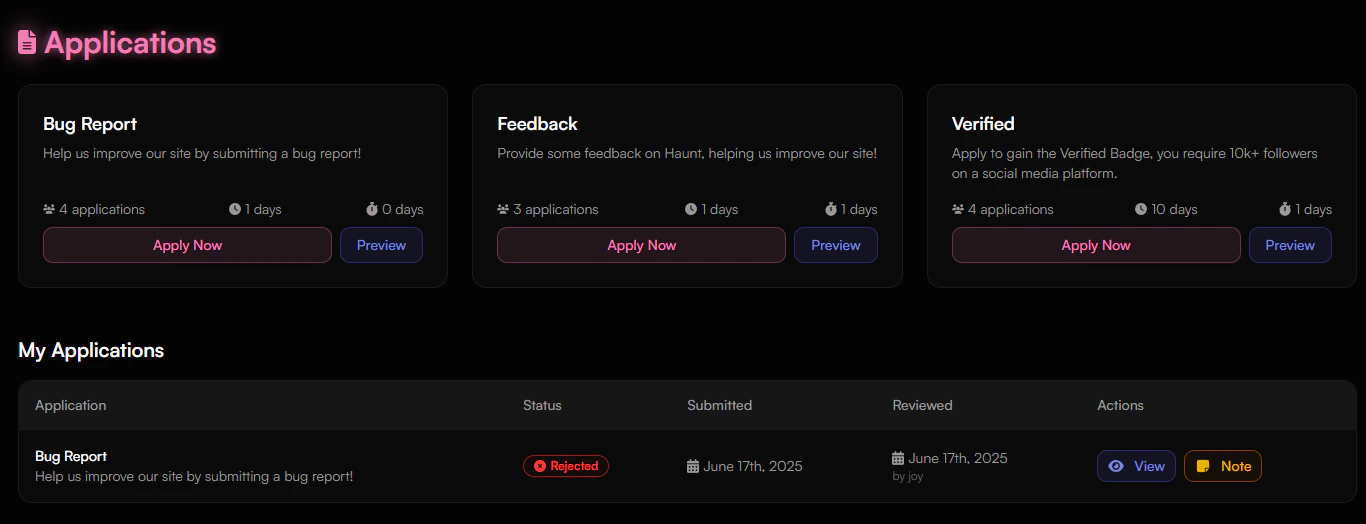
Previewing Forms
Each application type—such as bug reports, verification requests, or feedback—can be previewed before submission. The preview shows required fields and form layout. Preview details may include:- Application title and status (e.g., “Open”)
- Account age requirements (e.g., “1 day remaining”)
- All required questions with input type (text, URL, etc.)
- Optional context or category labels
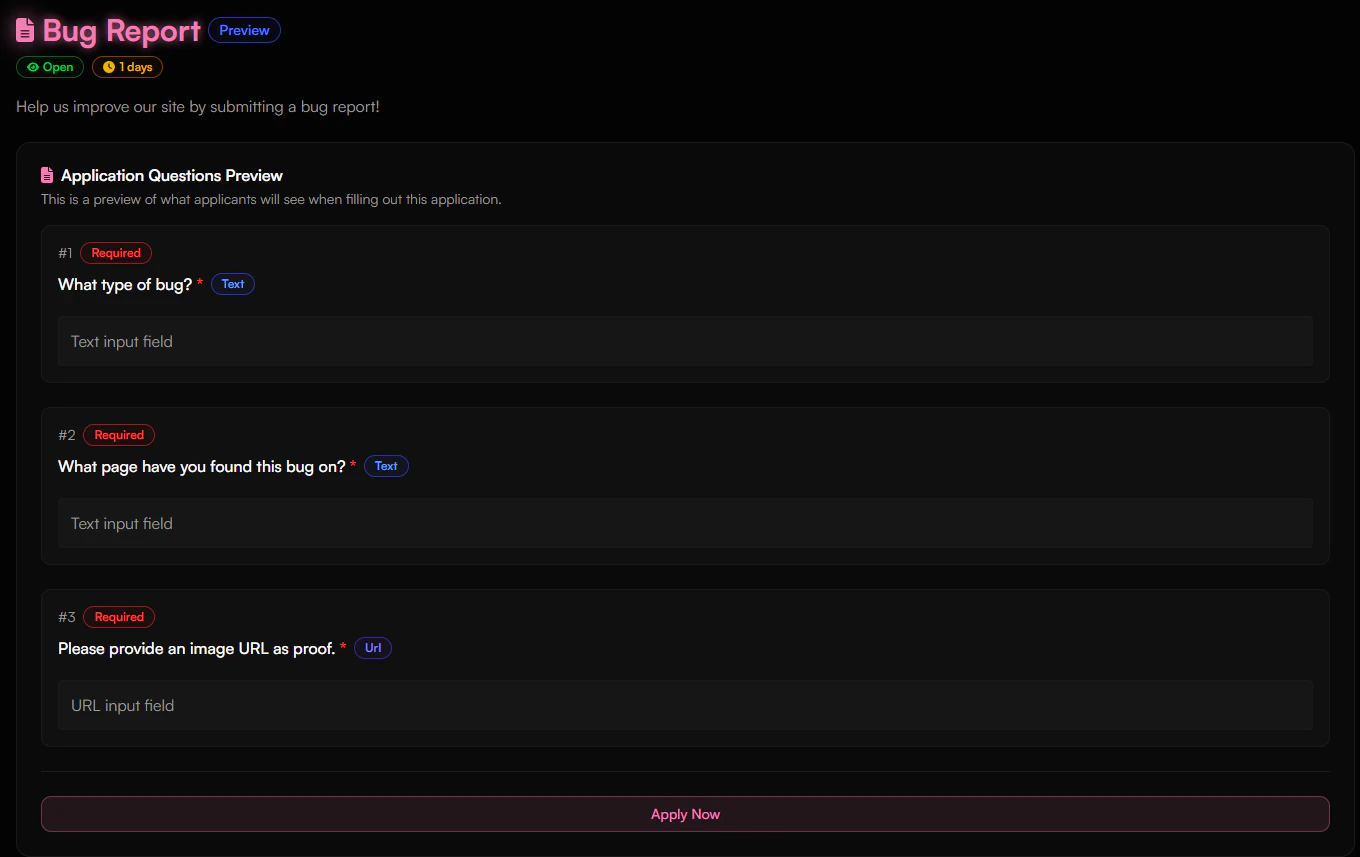
Note: Use the Preview button before submitting to review the form’s full structure and ensure all required information is ready.
Viewing Review Notes
If a submission is accepted or rejected, a review note may be provided. Clicking the note button will display any comments.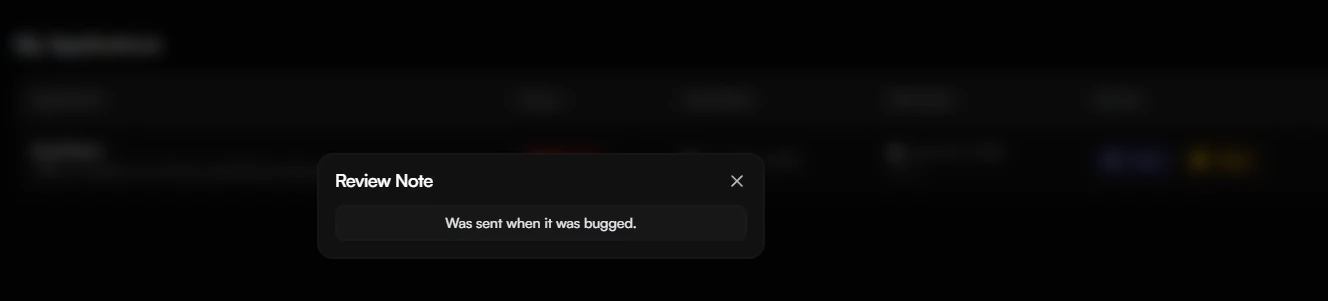
Note: Review notes are informational and do not affect a user’s status.